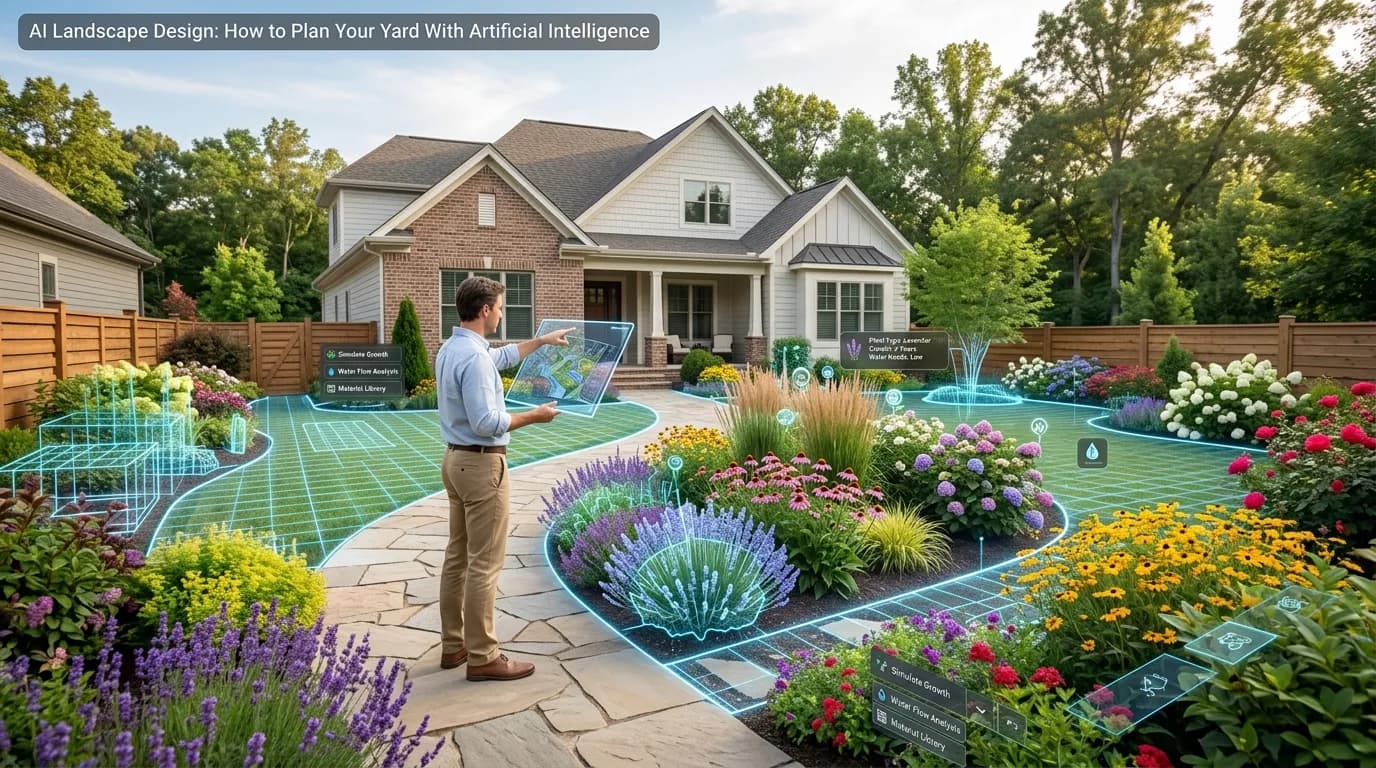
Hiring a landscape designer typically costs $1,500–$7,500 for a full residential design. Most homeowners never bother — not because they don't care about their yard, but because the cost feels out of proportion to the project. AI landscape design tools have changed that equation entirely.
In 2025 and 2026, AI tools can generate photorealistic landscape designs for your actual yard in under 60 seconds. They're not rough sketches or generic templates — they're detailed visual concepts showing specific plants, materials, and layout ideas tailored to your home's style, climate zone, and budget.
This guide covers how AI landscape design works, what the leading tools do, and exactly how to use one to plan your yard transformation without spending thousands on a consultant.
What Is AI Landscape Design?
AI landscape design uses machine learning — specifically image generation models similar to the technology behind tools like Midjourney and DALL-E — to create photorealistic visualizations of what a yard could look like after landscaping.
Unlike simple rendering software that requires technical skill to operate, AI tools let you describe what you want in plain language (or answer a short questionnaire) and generate realistic concepts automatically.
The best tools go beyond generic output: they account for your home's architectural style, regional climate, sun exposure, yard size, maintenance preferences, and design aesthetic. The output is a visual you can actually use to plan, communicate with contractors, or simply understand what's possible before committing to anything.
How AI Landscape Design Works
Most AI landscape design tools follow a similar process:
1. Input collection. You describe your yard — size, shape, sun exposure, home style, climate zone, budget, and preferred aesthetic (modern, cottage, tropical, Mediterranean, etc.). Some tools let you upload a photo of your current yard for even more personalized results.
2. AI generation. The model processes your inputs and generates one or more photorealistic design concepts. This takes between 30 seconds and a few minutes depending on the tool.
3. Refinement. You can typically adjust inputs and regenerate to explore different directions — more native plants, different hardscape materials, more or less lawn, different color palettes.
4. Download and use. The final designs can be downloaded as high-resolution images to share with contractors, present at HOA meetings, or simply use as inspiration.
The whole process — from answering questions to having a usable design — takes 2–5 minutes with most tools. Compare that to the weeks involved in scheduling, meeting, revising, and approving a traditional landscape design.
Try it yourself — generate a free AI landscape design for your yard →
What AI Landscape Design Can Do
AI design tools are genuinely impressive for several use cases:
Visualizing a transformation. The biggest challenge in landscaping is that you're committing significant money to something you can't fully picture yet. AI designs let you see what a patio, plant bed, lawn shape change, or major tree looks like in the context of your actual yard — before spending a dollar on plants or labor.
Exploring different styles. Not sure if you want a modern minimalist look or a lush cottage garden? Generate 3–5 different style concepts and compare them side by side. This exploration would cost thousands with a human designer and takes minutes with AI.
Communicating with contractors. A detailed design image is worth thousands of words when talking to a landscaper. You can say "I want it to look like this" and hand them the image, dramatically reducing miscommunication and change orders.
Getting HOA or permit approval. Many HOAs and some municipalities require visual renderings before approving landscaping changes. An AI-generated design is often sufficient for this purpose — and far cheaper than hiring a landscape architect for a regulatory submission.
Inspiring incremental improvements. Many homeowners don't tackle their full yard at once. AI designs help you see the whole picture so you can prioritize which area to tackle first and understand how each phase fits the overall plan.
What AI Landscape Design Can't Do
Honest assessment matters here. AI design tools have real limitations:
They don't know your exact soil. AI designs assume typical soil and drainage conditions for your climate zone. If you have unusually clay-heavy soil, a high water table, or serious drainage issues, you'll need site-specific advice from a local professional.
Grading and drainage engineering. For significant grade changes, retaining walls over 4 feet, or drainage infrastructure, a landscape architect or civil engineer needs to assess your specific site conditions.
Exact plant availability. The AI may suggest plants that are difficult to find at local nurseries. Use the design as inspiration and work with a local nursery to find the closest substitutes.
Construction documentation. AI designs are visualizations, not construction drawings. If you're hiring a contractor to build a complex project, you may still need a professional to produce detailed plans with dimensions, elevations, and specifications.
For a typical residential landscaping project in the $5,000–$25,000 range, AI design is fully capable of guiding the project. For complex custom projects over $50,000, you'd want to combine AI visualization with at least some professional consultation.
5 Ways to Get the Most From an AI Landscape Design Tool
1. Upload a Real Photo of Your Yard
The best AI landscape tools accept a photo of your current yard and design around it. This produces far more personalized and useful results than designing from scratch. Take a clear photo from a fixed point — ideally from a second-floor window or standing at the back of the yard facing the house.
2. Be Specific About Your Style
Don't just say "modern." Describe the specific elements you like: "clean lines, minimal plants, large concrete pavers, ornamental grasses, and no lawn." The more specific your inputs, the more useful the output.
3. Generate Multiple Options
The first result isn't always the best one. Generate 3–5 concepts with different styles or parameters and compare them. You'll often discover you like a style you wouldn't have thought to ask for.
4. Match Your Climate Zone
Make sure the tool knows your USDA hardiness zone or at least your general region. A design built for a Southern California Mediterranean climate won't translate well to a Minnesota backyard.
5. Use It as a Starting Point, Not a Final Answer
Treat the AI design as a directional concept, not a rigid plan. Share it with your local nursery and landscaper and ask "what would it take to achieve something like this?" Their expertise on local conditions, plant availability, and labor costs will help you refine the concept into a realistic project.
Ready to see your yard transformed? Generate an AI design for free →
AI Landscape Design vs. Hiring a Landscape Designer
Here's the honest comparison:
| AI Design Tool | Landscape Designer | |
|---|---|---|
| Cost | Free–$49 | $1,500–$7,500+ |
| Time to first design | 60 seconds | 2–6 weeks |
| Number of concepts | Unlimited | 1–3 (then change orders) |
| Personalization | Good | Excellent |
| Local knowledge | Moderate | High |
| Construction documents | No | Yes (at higher price tiers) |
| Best for | Planning, visualizing, budgeting, smaller projects | Complex/large projects, permitting, construction oversight |
The right answer is often both: use an AI tool to explore directions and develop a clear vision, then share that vision with a local professional for implementation advice. You'll spend less time explaining what you want and arrive at the final design faster.
The Best AI Landscape Design Tools in 2026
Several tools have emerged in this space:
Yardcast (yardcast.ai) — Questionnaire-based input captures your home style, climate, sun exposure, and aesthetic preferences. Generates 3 photorealistic designs per session. Focused specifically on residential landscapes with a clean, fast workflow. The AI image generation is tuned for landscape quality.
DreamzAR — AR-based tool that overlays plants and hardscaping on a live camera view of your yard. Useful for real-time visualization but requires a mobile device and works better for simple plant additions than full design.
iScape — Subscription-based tool with a large plant library. More like traditional landscape design software with AI assistance than a fully automated generator.
Midjourney/DALL-E (with manual prompts) — The underlying image models can generate landscape concepts if you craft detailed prompts, but you won't get the personalization of a purpose-built tool and results are less consistent.
For most homeowners who want fast, photorealistic results with minimal technical knowledge required, a purpose-built tool like Yardcast produces better results than generic AI image generators.
Getting Started: A Simple 5-Minute Workflow
Here's exactly how to go from "I have no idea what to do with my yard" to "I have a clear visual plan":
- 1Answer the questionnaire. Provide your yard size (approximate is fine), home style (ranch, craftsman, colonial, etc.), climate zone, sun exposure, budget range, and preferred style aesthetic.
- 1Upload a photo. A clear photo of your current yard dramatically improves output quality.
- 1Generate 3 designs. Review them and identify which elements you like best — maybe you love the plant palette in design 1 and the hardscape layout in design 3.
- 1Download your favorite. The high-resolution image is ready to share.
- 1Take it to a contractor or nursery. Show them the image and say "I want something like this." Get quotes and start planning.
Total time: 5–10 minutes. Total cost: free for the preview.
This workflow has replaced years of "I should really do something about the yard" paralysis for thousands of homeowners who simply couldn't visualize what they wanted until they saw it.
Start your AI landscape design — free preview, no account required →
Frequently Asked Questions
Is AI landscape design accurate?
AI designs are realistic visualizations, not precise engineering documents. They accurately represent style, plant palettes, material choices, and general layout — which is what most homeowners need to make decisions. For dimensions, grading, and construction specifications, professional input is still valuable.
Can AI replace a landscape architect?
For most residential landscaping projects — planting plans, patio design, lawn reshaping, plant bed creation — AI tools provide sufficient guidance. For complex projects involving significant grading, retaining walls over 4 feet, drainage engineering, or local permitting requirements, a licensed landscape architect adds value that AI currently can't fully replicate.
How much does AI landscape design cost?
Most AI landscape design tools offer a free preview or free tier. Full high-resolution designs with complete plant lists and multiple options typically cost $9–$49 per project. Compare that to $1,500–$7,500+ for traditional landscape design services.
Do I need any design experience to use an AI landscape design tool?
No. The best tools ask questions in plain language — your yard size, sun exposure, preferred style, budget — and generate designs automatically. No software skills, design knowledge, or drawing ability required.
How long does it take to get an AI landscape design?
Most tools generate results in 30–90 seconds after you submit your inputs. From starting the questionnaire to having a downloadable design takes about 5 minutes.
Can I use an AI landscape design to get contractor quotes?
Yes — and it works very well. Showing a contractor a clear visual of what you want reduces miscommunication significantly. Most contractors appreciate having a reference image because it helps them understand the scope and give you an accurate quote.