AI landscape design · web + app
AI landscape design, on your real house.


Free: the photo check and three quick questions. Your design: $29.99, both bed options plus one free redo.
Take one photo from the curb. YardCast's AI designs a new landscape around your actual home and shows it grown in. Your house stays exactly as it is.
Nothing to measure. Nothing to draw.
Keep your bed's shape, or try a new one.
Tell us what to change. We re-render it.
One short job a month, for your plants.
Watch the AI work
One photo in. A new landscape out.
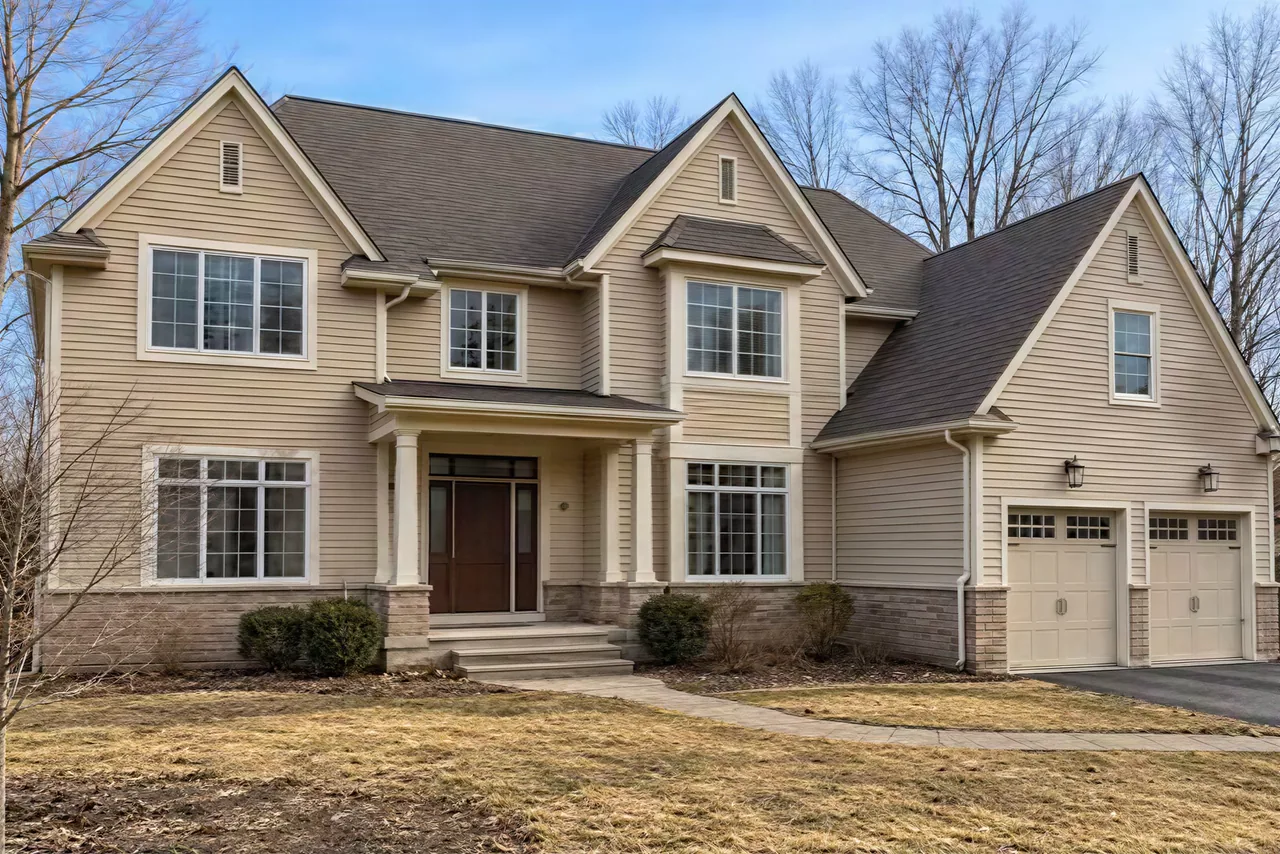
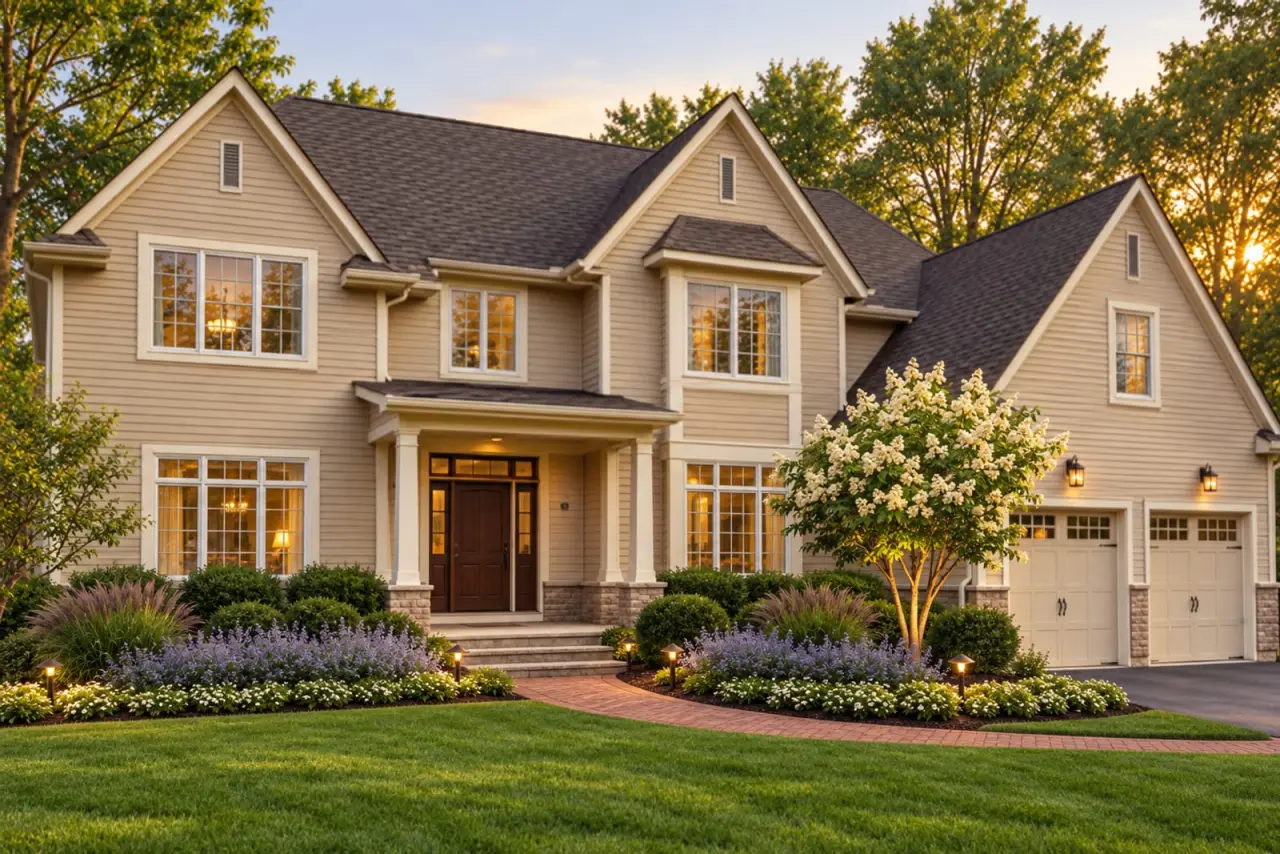
A real photo of a real house, and the YardCast design made from it. Scroll through the same six steps your photo takes.
- 01
It reads your photo
One shot from the curb. The AI looks over the whole frame: the house, the light, the lawn, what's planted now.
- 02
It finds the beds
It maps the house, the drive and the old beds. The house and drive are locked. They never change.
- 03
It plans the new beds
New bed shapes (or your old ones, if you pick that), then a back, middle and front layer of plants picked for your sun and your answers.
- 04
It renders it on your photo
Every old plant is replaced, and the new design is drawn onto your real photo. Your house, your light, your angle.
- 05
It checks its own work
A second AI pass checks every design. One that fails is held back and redone, never sent.
- 06
You compare
Press and drag the line to see before and after, side by side, on your own house.
Transformations
Real photos. Redesigned by AI.
Every pair is one real photo, before and after a YardCast design. Press and drag to compare. Swipe the strip for more yards.
YardCast design examples: AI visualizations on real photos, not installed results. The house stays as it is. Yards are shown at peak summer, about two years after planting, in golden-hour light. These examples also show a fresh lawn and, on a few, a new walk.
See every exampleTry it right here
Try it on your house.
Stand at the curb and take one photo of the front of your house with the bed in it. We check it right here in your browser, ask three quick questions, then make your design as soon as your Design Pack is paid.
- 1Your photoChecked for sharpness, framing and light. Nothing uploads yet.
- 2Three tapsSun, a look you like, and what the bed should do for you.
- 3Your designOne design on your real house in both bed options, quality-checked before delivery.
Question 1 of 3
Projected lift from your answers. A rough estimate. Your real curb score comes with the design.
How much sun does this bed get?
Pick a look. Fling right to keep, left to pass.
What should the bed do for you?
Pick up to two.
Design Pack $29.99 · one design in both bed options · one free redo. Next you finish in the design flow with this photo and these answers, then check out with Stripe.
That was a practice run on this page's house. Your answers are saved. Add a photo of your yard to make your design.
After the render
Love the picture? Here's the plan.
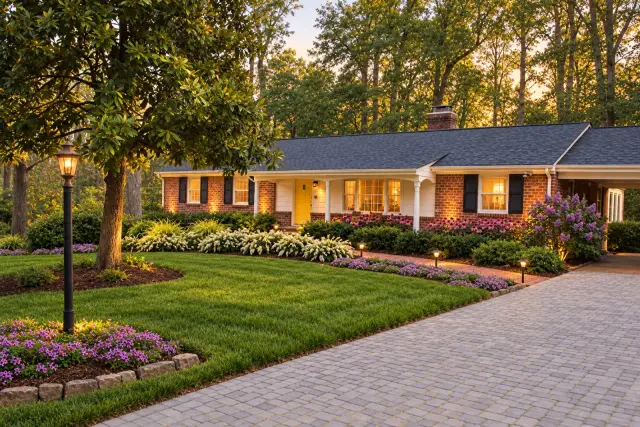
Every Design Pack turns the AI design into a plan you can build yourself or hand to a crew. Shown here for the brick ranch design.
A real site plan
Every plant numbered and placed.
Drawn to scale from your photo: your house, your walk, both beds.
Every plant, on a card
Size, sun, bloom and care.
Tap a card to flip it to its care notes. Photos are cropped from the design.
Install weekends, in order
- 1Clear, edge, backbonePull the old shrubs, set the stone edge, plant the tree lilac and the boxwoods · about 6 hrs
- 2The middle layerReed grass and the catmint drifts · about 3 hrs
- 3Edge and mulchCandytuft along the stones, then mulch · about 3 hrs
A 12-month care calendar
A PDF for your crew
Plan, plant list, weekends and care. Print it, or hand it to a landscaper for a quote.
Get the app
Your yard plan, in your pocket.
The YardCast app for iPhone and Android is on its way: your designs, the plant cards, install weekends and seasonal care, all in one place. Leave your email and we'll tell you the day it's out.
 YardCast design · AI visualization
Pricing
One price. Love it, or we redo it.
Real prices, paid once on the website. Secure checkout with Stripe. No subscription on the website.
Design Pack · one-time
- One design on your photo, in both bed options: keep your bed's shape, or a new bed
- One free redo with your change notes
- Every plant on its own card, install weekends in order, a 12-month care calendar
- A PDF to print or hand to a crew
Paid up front, right here on this website. A pack covers one yard photo.
Upload a photo of your yardYardCast Plus
iPhone app · coming soon- 4 Design Packs a month, each with both bed options and one free redo
- A living plan and seasonal care, all year
The app isn't on the App Store yet. Leave your email and we'll tell you when it is.
Get notifiedFor contractors
Show clients their yard before you bid.
Plans for landscapers and design-build crews, priced for teams.
See contractor plansQuestions
Good questions.
How does the AI design my yard?
It works in steps on your own photo. It finds your house, walks and the old bed. It clears every old plant and the old bed. It lays out a new bed, either a new shape or your old shape, and picks plants for your sun, your house and your answers. Then it renders those plants onto your photo, and a second AI pass checks the result before you ever see it.
Is it really my house?
Yes. The design is drawn on the photo you take. Your house, walks, drive and big trees are locked, so they stay exactly as they are. Only the planting bed changes. (The showcase examples on this page go a step further: they also show a fresh lawn, and on a few a new walk.)
What if the AI design looks bad?
Every design goes through a quality check first: house unchanged, the whole bed replaced, nothing that looks fake. A design that fails is held back and never shown, and it doesn't use up your pack. If you still want changes, every pack includes one free redo with your notes.
Will my yard really look like this?
The images are AI visualizations of a plan, not photos of an installed yard. The plan behind them is real: real plants, real spacing, real weekends. The examples on this page show each yard at peak summer, about two years after planting, in golden-hour light.
Does it keep any of my current plants?
No. Every design clears the whole bed and installs a whole new landscape, so every plant works with the others. You choose the bed: a new shape designed for your house, or your current shape with all-new plants. A Design Pack gives you both.
What photo works best?
Stand at the curb or the end of the driveway and get the front of the house with the whole bed in the frame. Daylight is best. Your phone's normal camera is perfect. We check sharpness, framing and light right on this page before anything uploads.
Is there a free preview?
The photo check and the three questions on this page are free. The design itself comes with a Design Pack: $29.99, one time, on this website. Each design costs real AI time to make, so every one is paid, and every pack includes one free redo.
What's in the $29.99 Design Pack?
One AI design on your photo in both bed options, a drawn site plan, every plant with its own card, the install weekends in order, a 12-month care calendar and a PDF you can print or hand to a crew. Plus one free redo. You pay on this website with Stripe checkout.
Do I need the app?
No. The Design Pack works right here on the website. YardCast Plus ($39.99 a month or $299.99 a year) will live in the iPhone app, which is coming soon. Leave your email under Get the app and we'll tell you when it's out.
What does "costs a render" mean?
Some changes need a brand-new AI image, like a different style on the same photo. Those are labeled before you tap them. Night and winter views are simulated on your photo and don't need a new render.
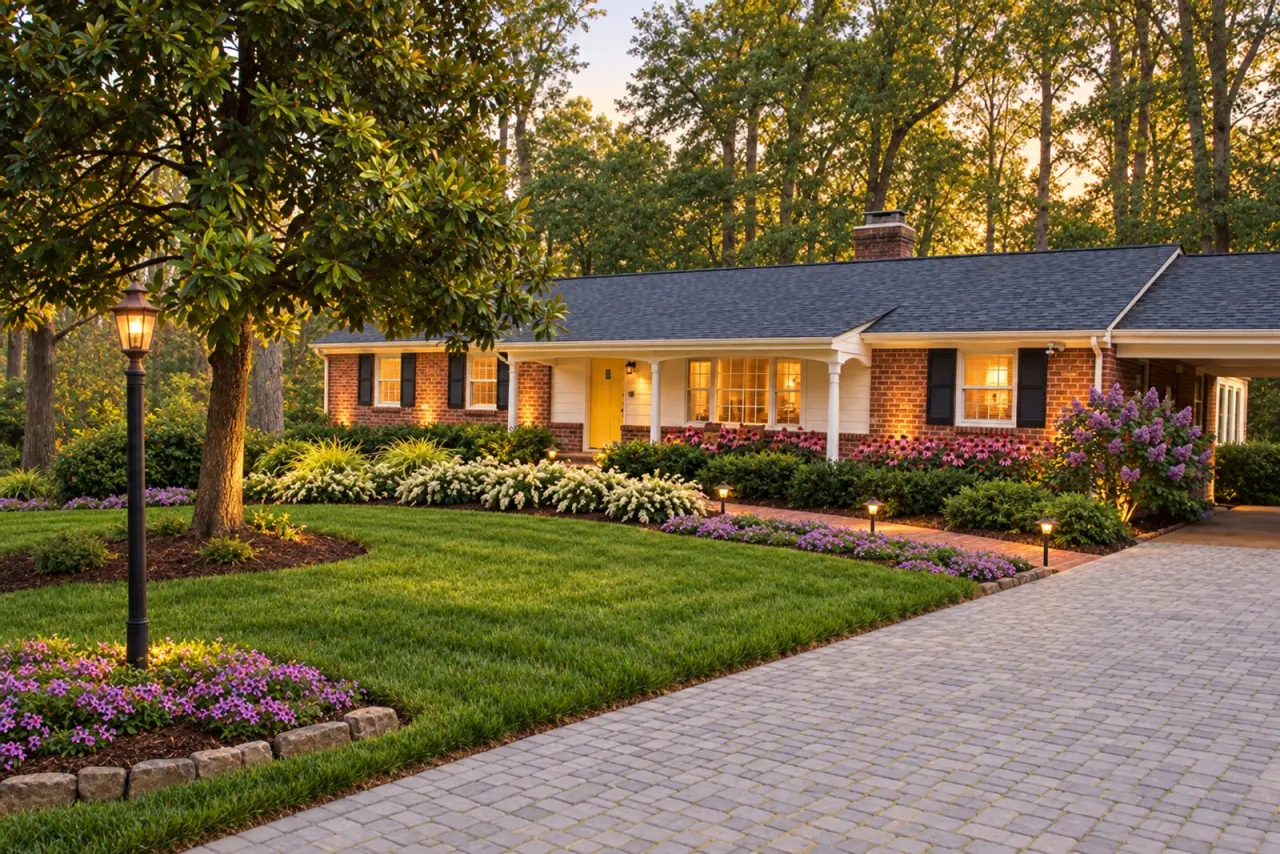 YardCast design · AI visualization
See your yard, done,
before you dig.
One photo from the curb. A design on your real house, both bed options, one free redo. $29.99.